AxBIC for ERP Consultants
AxBIC lets your clients ask their ERP data questions in plain English, and it gives you a new line of consulting work turning those questions into reports and dashboards the business runs on.
Business owners want AI. Most have no safe way to point it at their own numbers. AxBIC (Axsapt Business Intelligence Companion) answers that: it connects to the client's ERP or SQL database, and the data never leaves their server.
The software is only half the value. The other half is knowing which questions matter, how the data is structured, and what a finished management report looks like. That is what ERP consultants already do well, and it is why AxBIC is sold through you.
What AxBIC is
AxBIC is an AI analytics tool that sits on top of an ERP or SQL database and answers questions asked in everyday language. Its positioning is one line: Ask your data anything. It never leaves your server.
• Plain-English questions. A manager types "which customers bought less this quarter than last?" and gets an answer, without knowing a table name.
• On-premises. AxBIC runs inside the client's environment. For owners nervous about sending financial data to a public AI service, this removes the main objection.
• Built for mid-market ERP. It targets finance and operations leaders at companies running ABM, Sybiz, Sage X3, SAP Business One and MYOB Evo and Accumatica.
• Reports and dashboards. Answers can be developed into multi-group-level reports, scheduled, and emailed to stakeholders, and into dashboards for daily use.
AxBIC comes in two editions.
Edition | Best for | What's included |
|---|---|---|
Desktop | Analysts, finance staff and consultants building reports and dashboards | The full product |
Web | Managers and owners who want answers from a browser | A cut-down edition |
Why the tool needs a consultant
A business owner with AxBIC can get answers on day one, but the first question is rarely the right question. That gap is where you earn your fee.
An owner asks, "How are sales going?" What they need is sales by region, by rep, by product group, against budget and against last year, with margin, delivered every Monday at 7am. Getting from the first sentence to the second takes someone who understands both the business and the data.
ERP consultants bring three things no software supplies:
You refine questions
You know how to turn a vague concern into a precise, multi-level report that a management team can act on.
You understand the data
You know where the ERP stores what, which fields are reliable, and where the traps are, such as credit notes, inter-company transactions and back-dated postings.
You know the client
You already understand their processes, their people and their pain points from the implementation and support work you do.
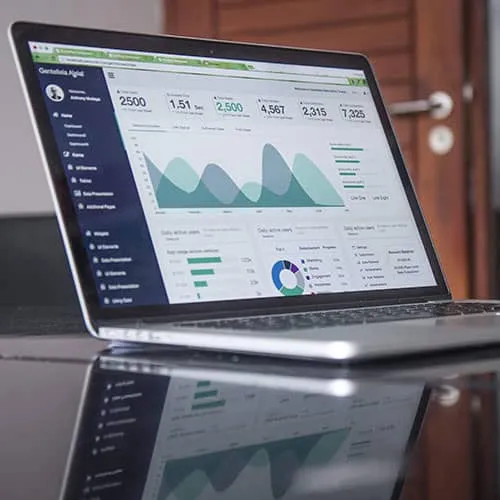
Desktop Edition
Installed on each client server, allows you to connect AxBIC to their databases, interrogate and test questions, write scheduled email reports, design dashboards for Viewer and Browser Edition.

Browser Edition
Runs on any browser but protects your data so it's not sent to AI and not cached on the device. Communicates directly with your client server via encryption. Run defined reports and view Dashboards.

Dashboard Viewer
Runs on large screen displays in full screen mode and refreshes automatically. Great for motivation and focussing on your clients' specific Key Performance Indicators, Sales Goals etc.
AxBIC shortens the build. It does not replace the judgement. A report that used to take days of SQL and layout work can be drafted in a conversation, which lets you spend your time on design and interpretation, the part clients value most.
Consulting opportunities
Each AxBIC sale opens several kinds of billable work, from a one-off setup to ongoing advisory.
Opportunity | What you deliver | Skill you already have |
|---|---|---|
Installation and data connection | AxBIC installed and connected to the client's ERP database, with users set up | ERP and SQL Server knowledge |
Question workshops | Sessions with owners and managers to turn their concerns into well-formed questions | Business analysis and client rapport |
Management report packs | Multi-group-level reports with subtotals and comparisons, built from refined questions | Report design and knowledge of the data |
Scheduled distribution | Reports scheduled and emailed to the right stakeholders at the right time | Understanding of who needs what, and when |
Dashboard design | Dashboards for owners, finance and operations, designed alongside your other assignments | Data mining and KPI selection |
Efficiency reviews | Using AxBIC to find slow stock, margin leaks, debtor problems and process bottlenecks | Process and industry experience |
Training | Teaching staff to ask good questions and read the answers critically | Product and business knowledge |
Ongoing refinement | Regular reviews as the business changes: new reports, new dashboards, new questions | The long-term client relationship |
A win for both sides
The client gets | The consultant gets |
|---|---|
Answers in minutes instead of waiting on a report request | A new product to offer existing clients, with no cold selling |
An AI tool that keeps their data on their own server | Billable projects after the sale: reports, dashboards, reviews |
Reports designed by someone who knows their business | Work that moves from fixing problems to advising on performance |
Scheduled reports arriving without anyone having to remember | Regular contact with owners and senior managers |
Dashboards that show the health of the business at a glance | A reason to revisit clients whose ERP is stable and quiet |
More value from the ERP investment they have already made | Faster report delivery, so more time for higher-value work |
How an engagement unfolds
- Demonstrate. Show AxBIC answering real questions from the client's own database. Their own numbers sell it better than any slide.
- Install and connect. Set up AxBIC on the client's server and connect it to the ERP.
- Run a question workshop. Sit with the owner and key managers. List what they wish they knew, then refine each item into a precise question.
- Build the first report pack. Turn the best questions into multi-group-level reports. Schedule them and email them to the stakeholders who need them.
- Design the dashboards. Agree the handful of measures that matter and build dashboards for each audience.
- Train the team. Show staff how to ask their own questions, so day-to-day queries no longer wait on you.
- Review regularly. Come back each quarter. Retire reports nobody reads, add new ones, and use what the data shows to propose the next improvement project.
Which clients to approach first
- The owner or CFO regularly asks you for one-off reports or data extracts.
- Month-end reporting depends on one person and a set of spreadsheets.
- Management has asked about AI but is worried about data security.
- The ERP is stable, and the client is asking what else they can get from it.
- The business has grown, and the owner can no longer see everything by walking the floor.
- You have just finished a project and the client wants to measure the result.
Questions clients will ask
Next steps
- Ask Axsapt for a demonstration, ideally on a copy of one of your own client databases.
- Pick two or three clients who match the signs above.
- Offer each a short session where they bring their questions and watch AxBIC answer them.
- Follow up with a proposal for installation, a question workshop and a first report pack.